For anybody putting money in the financial markets, it’s worth keeping in mind that famous advice by the investor, fund manager and author Peter Lynch: “Know what you own and know why you own it.”
And knowing what you own is easy, at least, thanks to tools on your smartphone.
Google Finance and Apple’s Stocks have steadily improved their live ticker and market-watching features over the years to follow publicly traded securities, currencies and indexes. These free, ad-supported offerings can’t directly manage your money like apps from financial-services companies, but you can still learn a lot while tracking your investments.
Here’s an overview.
Google Finance
Google Finance first appeared on the web two decades ago. This summer, Google released an updated version with new artificial-intelligence tools for monitoring investments and analyzing market trends. A dedicated Google Finance app for Android is available and an iOS version is in the works.
These A.I. tools come with Google’s disclaimer that the content provided is strictly for informational purposes and does not constitute financial or investment advice. The company’s online privacy policy describes what personal data is collected.
On the desktop browser version, you can drag in a spreadsheet, PDF or screenshot of your existing brokerage account to have the software add your holdings. Just go to the Portfolio panel on the left, click Create Portfolio, choose Upload a File and select a document to have Google Finance import the data. Your portfolio information is visible on your phone’s mobile web version of Google Finance, but does not yet sync with the Android app.
In the Android app, you can manually add ticker symbols to a portfolio or a watchlist of stocks and funds you’re following. Tap the Lists button at the bottom and then on the + sign to start adding ticker symbols.
Google Finance supplies feeds of live prices and market news to go with your investment dashboard. In addition to providing research on companies, the new A.I features in Google Finance can identify specific factors that explain why a stock’s price moved at a certain time.
The software can also evaluate your portfolio and suggest potential weaknesses, like having too many investments in a specific sector. But always remember: A.I. can make mistakes.
Apple’s Stocks
Apple included the Stocks app with the original iPhone in 2007 and has updated it ever since. Stocks is still a preinstalled app on new iPhones, but if you deleted it, you can download it again from the App Store. Mac, iPad, Apple Watch and Vision Pro versions are available, too.
Apple’s website has its own Stocks & Privacy document for those curious about personal-data collection.
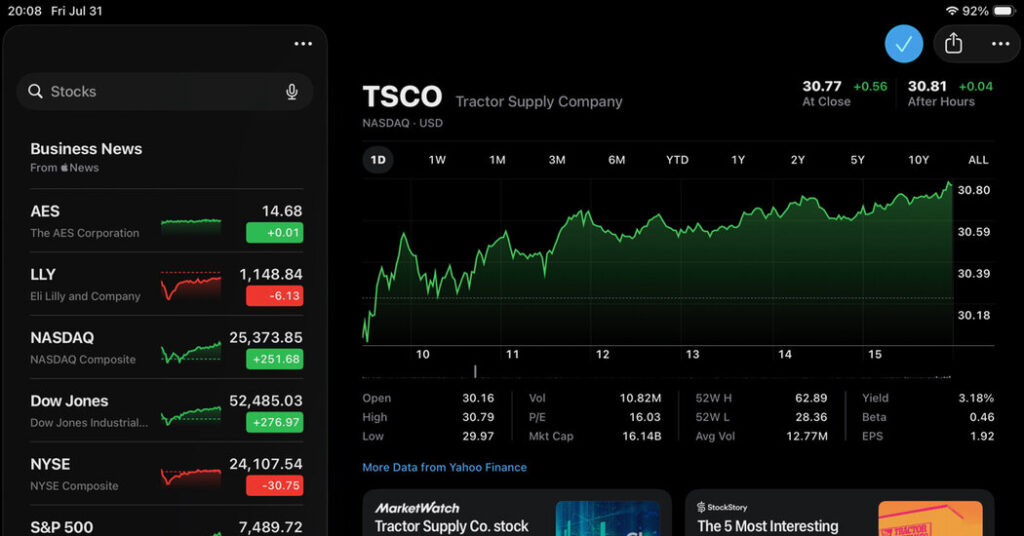
In the Stocks app, you can look up companies by their ticker symbols, create customized watchlists of the stocks, bond funds, mutual funds and exchange-traded funds and currencies you’re following. To get started, tap the three-dot menu in the screen’s upper-right corner and choose New Watchlist.
When you tap a ticker symbol, the app displays a screen of information, including current prices, historical performance and more. If the company has an earnings report coming out soon, hit the Add to Calendar button if you’d like to monitor. At the bottom of the screen, the Stocks app displays a list of news releases and relevant articles about the business, although you need a subscription for some of the publications.
If you don’t have the app open, you can keep tabs on the market or individual stocks by asking the Siri assistant.
To add a Stocks widget to the iPhone’s home screen, press an empty area of the screen until the icons begin to wiggle, tap Edit in the top-left corner, select Add Widget and choose Stocks.
Other Apps
Beyond the tools from Google and Apple, you can find many other financial apps out there, although many charge a subscription fee.
Apple’s Stocks app uses some data from Yahoo Finance. Yahoo itself has both free (ad-supported) and paid tiers of its financial site and apps. The ad-free paid versions range from about $8 to $50 a month as you add premium features like research reports and expert stock picks. Instead of manually entering your portfolio holdings, Yahoo Finance can link to your existing brokerage accounts through the secure financial data service, Yodlee.
Empower Personal Dashboard is another financial company with Android and iOS apps for tracking your investment portfolio after you set up a free account.
Plenty of personal-finance and budgeting apps will track your investments as part of your overall wealth-management system. But if you’re already on a budget or want a simple way to know what you own (and why you own it), your phone’s “stock” options can help.
The post Carry Wall Street in Your Pocket With These Free Apps appeared first on New York Times.