In every home I’ve had in the past decade, I’ve installed smart light bulbs. Over and over again, between four different apartments and one townhouse, I was impressed by how easy smart lights were to use and how handy they were around the house, especially when key lights are plugged into outlets without a switch. No more switch-hunting; I just ask my smart speaker to turn the lights off for me.
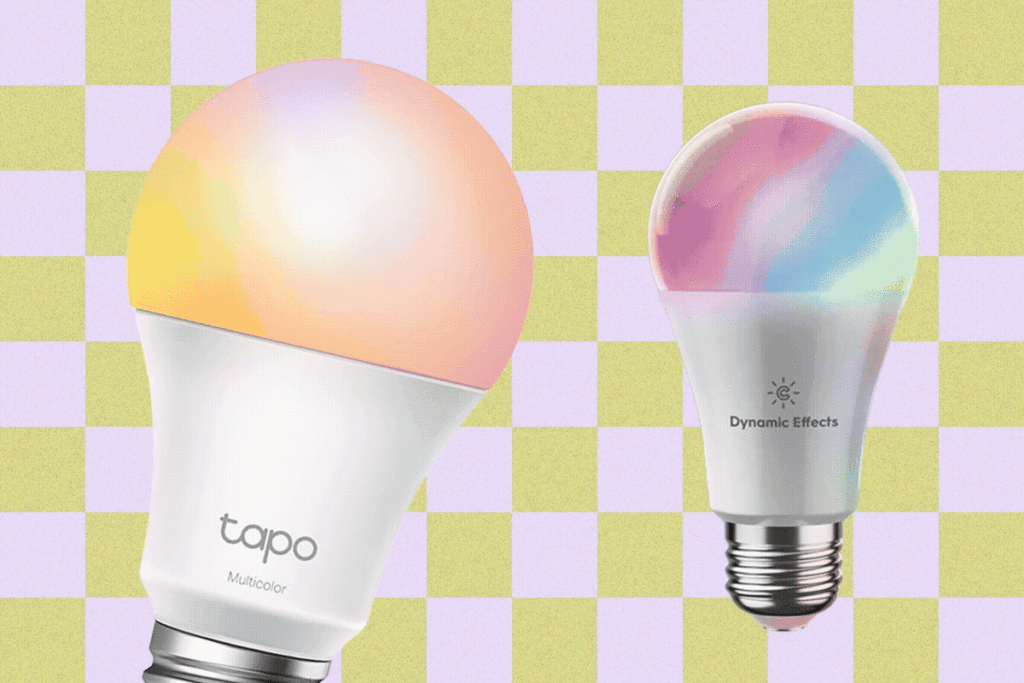
After my latest round of testing nine different bulbs, my favorite remains the GE Cync Dynamic Effects Smart Bulb ($36 for two). The app is pretty and comes with cool extras, including fun light shows and even music shows. Because yes, this bulb can react to music and sound around it thanks to a built-in microphone. If you’re an Apple user, the Meross Smart Wi-Fi LED Bulb ($29 for two) connects easily to your Apple HomeKit setup without needing a separate app to control it. Looking to get more bulbs without spending more? Check out the TP-Link Tapo Smart Light Bulbs ($32 for four).
Read on to see how each of these smart light bulbs was chosen and what makes using one so great. While you’re at it, catch more of our smart home tips with our guides to the Best Smart Speakers, Best Video Doorbells, Best Smart Locks, and Best Permanent Outdoor Lights.
Featured in This Article
Table of ContentsLargeChevron
- What Makes Smart Bulbs Great?
- How Smart Bulbs Work
- The Best Smart Bulbs We’ve Tested
- My All-Around Favorite: GE Cync Dynamic Effects Smart Bulb ($36 for two)
- Best for Apple Users: Meross Smart Wi-Fi LED Bulb ($29 for two)
- An Affordable Set: TP-Link Tapo Smart Light Bulbs ($32 for four)
- Honorable Mentions
- Skip This Bulb
- Do You Need a Hub? What About Matter?
- What Happens to Your Smart Bulbs if Your Wi-Fi Goes Down?
- Do You Leave Smart Bulbs on All the Time?
- How Does WIRED Obtain and Test Smart Bulbs? What Happens When We’re Done Testing?
What Makes Smart Bulbs Great
Smart bulbs are so easy and affordable to add to your home. You’re using light bulbs somewhere in your house right now, so a smart bulb is easy to swap in without developing a new habit or setting up anything beyond a single app (or not even that, sometimes). I test a lot of smart home gear for work, but my smart lights have been a total must, even when I’m not working. They turn lamps connected to random outlets into easy-to-control devices. They also add dimmability and color without needing to rewire the switch for that capability, and you can add routines for lights to automatically turn themselves on and off to make your evenings and mornings easier (or make strangers think you’re home when you aren’t).
How Smart Bulbs Work
Smart bulbs connect to Wi-Fi or other devices in your home using smart home protocols like Zigbee and Matter, plus usually Bluetooth for initial setup, so you can connect the bulb to an app, smart speaker, and the internet to control it at any time.
You usually need the brand’s app to set up a light bulb and access the full controls, but you don’t usually need a hub. Philips Hue, a popular smart bulb line, still requires a hub and has for a long time (though its WiZ line doesn’t), but almost every other smart bulb that comes out doesn’t require it. It might ask for a hub if it needs one for a Matter connection, but a Matter connection means you can skip a separate app and let devices like your Alexa speaker control the light bulb instead. Still, you get better controls with an app for smart lights, like super-specific color controls, schedules, and, for some apps, fun custom light shows or even the ability to react to music.
The Best Smart Bulbs We’ve Tested
After my latest round of testing, these are my newest favorite smart bulbs.
My All-Around Favorite
This bulb has been my favorite for a while, and still retains its spot after my latest round of testing. The Cync app is pretty and intuitive to use, and it offered to connect the bulb to my Amazon Alexa right after I finished setup. Cync has a lot of great light products I like, so I already had the app set up, but it’s easy to get started if you’re new to the Cync world.
It has all the classic controls, like various shades of white and color, and you can also set up Scenes and Schedules in the Routines button. The app has a ton of fun options, including Cync’s Light Shows, which feature vibrant, moving color sets that work best with a couple of bulbs set up, and Music Shows, which react to music and sound in the room. My favorite is Candle for cozy ambiance. It always responds quickly to my voice commands, doesn’t require a hub, and can also respond to schedules I set in the Alexa app.
Best for Apple Users
Are you an Apple Home user? Meross is usually my favorite Apple-focused brand, and Meross’ MSL120 light bulb is no exception. It has a fast, painless setup with Apple Home (a quick scan of the bulb’s barcode, a minute or two of waiting, and you’re done), even if you don’t have a dedicated Apple hub like the HomePod or Apple TV.
While I usually prefer the brand’s dedicated app for full control, especially since I mainly test with an Amazon Alexa setup, Apple does a nice job showing a range of whites and makes it easy to customize a colorful option. You can also connect this bulb to Alexa, Google, and SmartThings if you decide to switch off HomeKit down the line.
An Affordable Set
If you’re looking to get a lot of bulbs for cheap, Tapo’s set is what I’d recommend. You’ll get twice as many bulbs for about the same price as my earlier picks, but you’ll have to put in more work for setup. I had to do the whole connect to the bulb’s local Wi-Fi signal to connect it to the app (which really annoyed my phone; it tried to interrupt the connection and switch me back to cellular since it recognized this wasn’t real Wi-Fi), and I didn’t like the in-app experience like Cync’s. The default options didn’t include enough shades of whites, and instead showed a more random range of colors.
Still, this is one of the cheapest sets of bulbs you can find outside of a sale event like Prime Day. And TP-Link’s products work well, so it’s a solid brand to invest in if you’re looking to get a lot for a low price. But I think the overall experience is better with both Cync and Meross.
Honorable Mentions
LIFX 19 Bulb for $40 (Two-Pack): I’ve liked LIFX in the past, but the recent bulb I tested couldn’t keep its connectivity to my Amazon ecosystem. Still, it’s a hub-free bulb with your usual controls and bright colors.
Philips Hue Smart Lights Starter Kit for $97 (Two Bulbs and a Bridge): This style of Philips Hue bulbs have been around for a while. It works well but it’s expensive, and needing the Philips Hue Bridge hub is annoying. You can use the bulbs without a hub and control it via Bluetooth (and buy cheaper sets without the hub), but you won’t get all the features without the hub.
Wyze Bulb Color for $27 (Two-Pack): These Wyze bulbs work well, don’t need a hub, and are a little cheaper than our main picks (though not as cheap as the Tapo set). But I still prefer the Cync and Meross experience if you’re going to pay nearly $15 a bulb.
Wyze Bulb White for $27 (Two-Pack): You can apply my notes above to these as well, but these bulbs don’t do color, and they aren’t cheaper even though you’re losing the rainbow range.
WiZ Connected Smart Bulb for $21 (Two-Pack): WiZ is owned by Signify, which also owns Philips Hue, but it has a separate app and doesn’t need the Hue Bridge. They’re easy to control and more affordable than our other picks, but still not quite as cheap as Tapo. Still, it’s a great option.
Skip This Bulb
Not every bulb does well in our tests. So far, there’s just one that has done truly poorly for me in my recent testing.
LIFX E12 Candle Color Bulb for $30: This expensive candle bulb didn’t work great in my candle lamp, and is frequently returned on Amazon.
FAQs
Do You Need a Hub? What About Matter?
LargeChevron
You don’t always need a hub for smart light bulbs to work. This varies by brand; Philips Hue is a popular smart light brand that needs a hub to get all the features, for example. All of the primary picks in this guide do not require that, which is part of why I recommend them.
None of these lights I recommend work with Matter. I’ll be testing more Matter bulbs soon, but I do think you’ll miss out on features without an app and just connecting to an Alexa or Google smart speaker. Apple has pretty solid smart-light controls, though, if you want to choose a HomeKit- or Matter-compatible bulb to use with your home.
What Happens to Your Smart Light Bulbs If Your Wi-Fi Goes Down?
LargeChevron
If the Wi-Fi goes down, you won’t be able to remote-control your light any longer. You’ll still be able to manually control it with the wall switch or any light switch built into the lamp itself. It essentially turns back into a dumb light bulb until the Wi-Fi comes back on.
Do You Leave Smart Bulbs on All the Time?
LargeChevron
The power source needs to be on for the light bulb to stay connected. That means the light switch stays in the on position, and any switch on the lamp or light fixture itself needs to be turned on. The light bulb itself will turn on and off based on your commands, but if there’s no power to the light bulb, you won’t be able to control it.
How Does WIRED Obtain and Test Smart Bulbs? What Happens When We’re Done Testing?
LargeChevron
WIRED tests smart light bulbs in the homes of our reviewers—namely, my home. I request samples from companies who send them to us for review, and they’re tested with setup and daily use in the main rooms of my home, usually the living room and office where I spend 90 percent of my awake time all week long. I primarily test with my Amazon and Apple ecosystems, but also test with Google and Matter depending on bandwidth and compatibility of the bulb.
When testing is complete, I either keep the smart bulbs on hand for comparison testing or safely recycle them.
Power up with unlimited access to WIRED. Get best-in-class reporting and exclusive subscriber content that’s too important to ignore. Subscribe Today.
The post The Smart Light Bulbs Worth Buying in 2026: Cync, Meross, Tapo appeared first on Wired.