If you fancy yourself an online sleuth or doom-scroll after a long day, it’s happened to you.
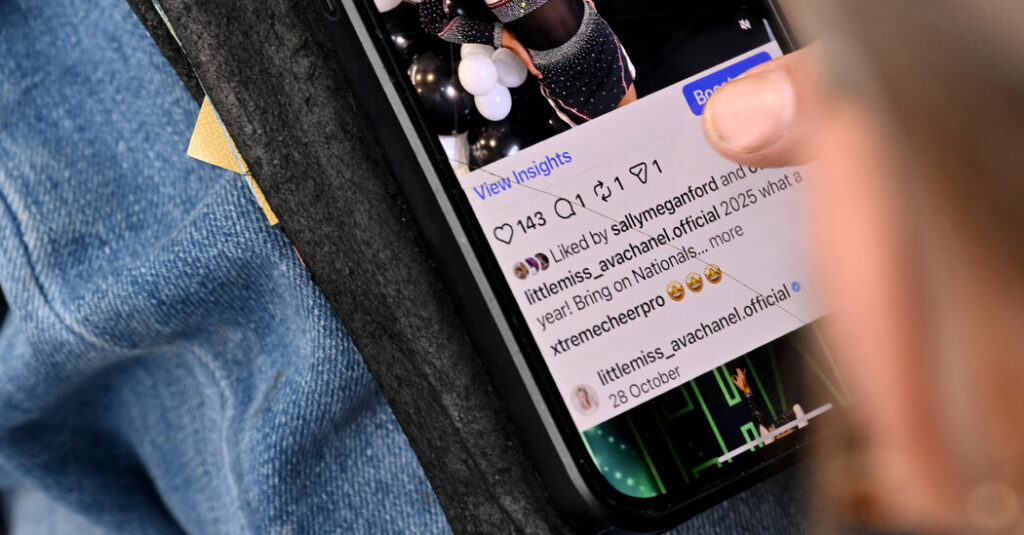
You see a reel on Instagram that you want to share with friends, or a photo dump with a comments section you’d love to scour. Your thumb hovers over the options to like, comment or share, but you hit something else: the repost button.
One accidental tap of this button, precariously located between your options to comment and share, immediately reposts the content to your Instagram feed and profile page.
Did you mean to repost that?
Since Instagram rolled out the repost feature in August, users have complained of hitting the button unknowingly and leaving cringe-inducing content on their profiles for weeks.
Many said they received the same text from friends and family: “Did you mean to repost that?”
In a TikTok posted this week with nearly 300,000 views, the user @jujubeaannn said the location of the button might just ruin her life. Users agreed, with many saying they had accidentally shared posts from exes or high school classmates they hadn’t spoken to in years.
The first time Kyle Ashley, 23, mistakenly reposted a reel to his Instagram feed, he meant to share it with friends in a direct message. Mr. Ashley panicked and recalled thinking, “I hope nobody saw that.”
Though Mr. Ashley, who lives in Toronto, said his feed was “pretty tame,” his friends have different styles of humor.
“Some are more of a dark humor, some are more lighthearted, so obviously I don’t want to be broadcasting dark jokes to my entire feed,” he said.
Instagram acknowledges the changes may be ‘frustrating’ for now.
It’s easy to undo an accidental share — tap the repost button a second time.
Instagram also tries to remind users that they have shared content to their feed with an animation on the repost button and a profile bubble that floats over the reposted content.
Users also get a one-time pop-up that they reposted.
People often use Instagram on “autopilot” and may miss changes, said Leah Ujda, a user experience professor of practice at the University of Wisconsin-Madison.
For its part, Instagram said that reposts have been a long-requested feature that most users have embraced.
Still, as with previous changes to the app, plenty have expressed frustration. A new navigation bar that prioritizes reels and direct messages has also caused consternation.
In a reel on Thursday, Adam Mosseri, Instagram’s chief executive, acknowledged that sudden changes to the layout can be “annoying” and “frustrating.”
Still, he emphasized that if the app doesn’t evolve, it will “slowly become irrelevant.”
“I want to stress that we take these types of changes really, really seriously, and we try to do them rarely, every couple years,” he said. “Hopefully, this one will last for years to come.”
Embarrassing moments, courtesy of the repost.
People might have welcomed the repost button if it hadn’t been placed in the former location of the frequently used share button, Professor Ujda said.
The location of Instagram’s like, comment and share buttons also changes depending on whether a post is shareable, making it more difficult for users to adjust, she said.
On Facebook, LinkedIn and X, users receive a warning before reposting.
Instagram’s one-tap method for reposting doesn’t give users a chance to think before they share, Professor Ujda said. When users mistakenly add a post to their profile, it hurts their ability to curate their online presence.
“Everybody sees that you posted it and then you immediately deleted it,” she said. “You don’t have a moment of privacy to have your little learning experience. It just goes straight to a post, and that’s embarrassing.”
To Ruby Vanhouten, a content creator in New York, the repost button feels like a “cheap trick” to get users to share more posts.
Ms. Vanhouten spends most of her time on Instagram browsing the comments section on posts, especially for content she dislikes or disagrees with.
She jokingly said she unintentionally shared posts and reels to her roughly 38,000 followers “every 0.5 seconds,” but has become more diligent.
“Your Instagram feed doesn’t always know your heart and your soul,” she said. “You can get some videos on there that you really don’t want to see.”
How to undo and avoid reposts.
You can’t remove the “repost” button itself. So your best defense against unwanted reposts is deleting them after they happen. To do this, tap the “repost” button again on the photo or video, and it will reverse an unwanted share.
You can access all your reposts from your profile page.
From the menu in the top right, tap “Your Activity,” and then “Reposts.” From here, you can delete any reels or posts you did not mean to share.
It’s also possible to prevent others from reposting the content you share. If your account is private, this will happen automatically.
Public accounts can disable reposts from their settings and activity tab. Tap “Sharing and reuse” and turn off “Reposts on posts and reels.”
Hannah Ziegler is a general assignment reporter for The Times, covering topics such as crime, business, weather, pop culture and online trends.
The post It’s Not Just You. Users Struggle With the Instagram Repost Button. appeared first on New York Times.