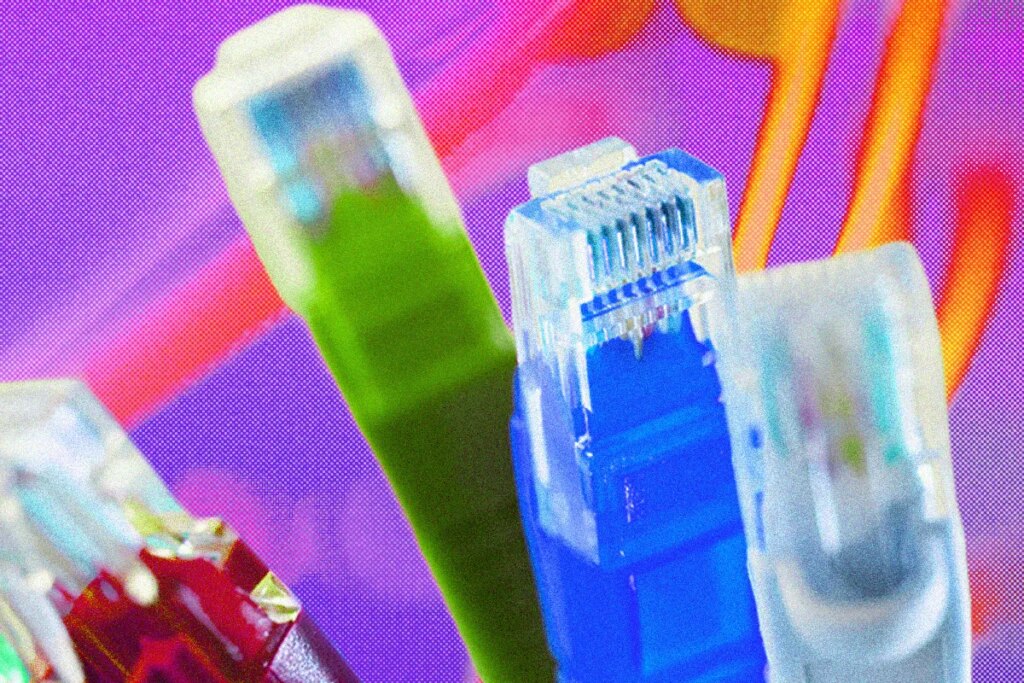
Before Wi-Fi became ubiquitous, Ethernet was the preferred way to get your devices onto the internet. By running Ethernet cables in a local area network (LAN) or wide area network (WAN), you could send data back and forth. It is still widely used because sending data along cables is usually faster, and always more reliable and secure than sending it as radio waves, as Wi-Fi does.
If you want to get the best from your internet connection, Ethernet is still a great way to do it, and it’s an obvious choice for any organization that prizes high speed, security, and reliability. Here’s everything you need to know about Ethernet. You may also want to dip into our guides on How to Buy a Router, Best Wi-Fi Routers, and Best Mesh Systems.
Updated April 2026: I added more information about Ethernet, including advice on cables, plus a new section on Power-over-Ethernet (PoE) that includes a few recommended products.
Jump To:LargeChevron
- History of Ethernet
- Ethernet and Wi-Fi
- Ethernet Cables
- Ethernet Ports
- Ethernet Switches
- Power-over-Ethernet (PoE)
- Using Ethernet in the Home
- What About Wi-Fi?
History of Ethernet
First created in 1973 by a group of Xerox Palo Alto Research Center (PARC) engineers, including Robert Metcalfe and David Boggs, Ethernet allowed people to connect multiple computers in a local area network (LAN). Ethernet provided a set of rules for sending data back and forth between specific machines rapidly. The name Ethernet was inspired by luminiferous ether.
To massively simplify the early history of Ethernet, Xerox relinquished its trademark on the Ethernet name, and the Institute of Electrical and Electronics Engineers (IEEE) formalized the 802.3 standard (otherwise known as Ethernet) in 1983. Other technologies existed, but Ethernet soon became the dominant standard because it was open, so networking equipment was available from multiple manufacturers. Ethernet was also easy to upgrade, with each version offering backward compatibility.
The first official Ethernet release supported speeds of up to 10 Mbps. Then 100 Mbps Fast Ethernet came along in 1995, and Gigabit Ethernet followed in 1999. By 2002, 10-Gigabit Ethernet was possible. Power over Ethernet, or PoE, which enabled devices to use a single cable for power and networking, landed in 2003. Work has continued to increase Ethernet capabilities since, reaching 40 Gbps in 2010, then 100 Gbps later the same year. Research continues, but 40 Gbps is the top speed available for use in the home today, and that’s way more than most of us need.
Ethernet and Wi-Fi
Even if you have only ever used Wi-Fi, you are probably familiar with Ethernet plugs and cables. The cable that connects your modem to your Wi-Fi router or main mesh unit is likely an Ethernet cable with an RJ45 connector. Ethernet offers three main advantages over Wi-Fi: It is usually faster, more stable, and more secure. But it requires you to run cables between devices, and connected devices must have Ethernet ports. Wiring up a network can also be complex and costly.
While Wi-Fi 7 technically offers speeds that can rival Ethernet, Wi-Fi is prone to interference and fluctuations in speed. Ethernet offers stable latency and consistent throughput. Bufferbloat, where devices fight for airtime on the same wireless channel and cause lag, can also be an issue for Wi-Fi. Ethernet cables give devices their own dedicated channel, so your roommate starting a big download won’t necessarily cause your Netflix to buffer, as it might with shared Wi-Fi bandwidth.
Ultimately, the speed you get will always be limited by the lowest-rated component, whether that’s the cable, port, or switch. Let’s take a closer look at all three.
Ethernet Cables
There are seven categories of Ethernet cable in use today, offering various maximum bandwidth and data rates.
- Cat 5: Up to 350 MHz and 100 Mbps
- Cat 5e (enhanced): Up to 350 MHz and 1 Gbps
- Cat 6: Up to 550 MHz and 1 Gbps
- Cat 6a (augmented): Up to 550 MHz and 10 Gbps
- Cat 7: Up to 600 MHz and 10 Gbps
- Cat 7a: Up to 1 GHz and 40 Gbps
- Cat 8: Up to 2 GHz and 25 or 40 Gbps
Most homes can employ Cat 5e or Cat 6 cables for speeds up to 1 Gbps, but I would opt for Cat 6a for speeds up to 10 Gbps for your main runs, such as from the router to your switch or between your main mesh router and nodes. The price difference is usually small, and you’ll be glad you installed faster cables if your needs increase in the future.
Cat 7a or Cat 8 cables, capable of 40 Gbps, are overkill for the average home, and usually far more expensive. Cat 7 was originally developed to be used with TERA or GG45 connectors, not the RJ45 we all use, and it’s considered a dead standard now. You may see some Ethernet cables labeled as Cat 9 or higher, but there is no such standard or certification yet, so I’d avoid them, too. Ethernet is still evolving. The latest Ultra Ethernet standard has been designed for data centers handling the ever-increasing demands of artificial intelligence and machine learning.
At the basic level, cables have pairs of wires twisted together with a plastic covering (UTP, or Unshielded Twisted Pair), but some cables have metallic or foil shielding (STP or FTP, which stand for Shielded Twisted Pair or Foiled Twisted Pair). While shielding guards against electromagnetic interference, it also makes cables thicker and less flexible. Whenever you buy an Ethernet cable, the manufacturer will specify its capabilities, but cables usually have basic specs printed on the plastic casing.
While they are generally quite hardy, there is always a risk that Ethernet cables can be damaged, especially if you plug and unplug them often. If you run cables around your house, be careful about tight bends and avoid high-traffic areas where they might get bumped or trampled. Thin or flat Ethernet cables may be tempting, but they often have less shielding and are less durable.
When an Ethernet cable is damaged, it doesn’t necessarily stop working entirely. But it may be identified by connected devices as a lower category cable, which will limit its speed. I was surprised when this happened to me. A Cat 6a cable rated at 10 Gbps had been working fine for months, but it got damaged without me noticing, and the router I was testing limited my 1 Gbps connection to 100 Mbps. There is also a limit on how long an Ethernet cable can be before the signal strength drops, but that’s usually not something you need to worry about when wiring your home.
Because of the hassle of running cables, especially if you hide them in walls, ceilings, or floors, it is best to future-proof and get a Cat 6a cable. The price difference is minor anyway, and they are backward compatible. I’ve also used several cheap Cat 6 cables, like the Amazon Basics one above, for my Gigabit internet connection without any issues. Both the flat cables I have tried developed faults.
Ethernet Ports
Many routers and mesh systems today have a limited number of Ethernet ports. Like cables, they have different ratings but are usually more straightforward. Gigabit ports are common: Several routers offer 2.5 Gbps ports, and a handful of routers support 10 Gbps. The maximum data rate tends to be printed on the port for routers. You may have to check the specs for other devices.
Ethernet Switches
Whether you need more ports or want to route Ethernet cables around your home, you may need an Ethernet switch. Ethernet switches come in various sizes and enable you to run a single Ethernet cable from your router and multiple cables out to different rooms or devices. I am currently using the Netgear switch above, but you can get switches with more ports, like this unmanaged eight-port model from TP-Link ($25) that WIRED reviews editor Julian Chokkattu uses.
Switches are usually described as managed or unmanaged. Opt for managed if you like to tinker and want to configure and monitor settings, prioritize channels and traffic, and potentially get more security features. Unmanaged switches are just plug-and-play, but they are usually cheaper and will work fine for most homes.
Power-over-Ethernet (PoE)
Another big reason to adopt Ethernet in your home is Power-over-Ethernet (PoE), enabling a single cable to provide both data and power. PoE cables are great for smart home devices such as security cameras, video doorbells, and smart shades. The latest PoE standard (IEEE 802.3bt) can deliver up to 90 watts of power. These are the versions and standards to be aware of:
- PoE (IEEE 802.3af) can deliver up to around 15 watts.
- PoE+ (IEEE 802.3at) can deliver up to 30 watts.
- PoE++ (IEEE 802.3bt) can deliver up to 60 watts.
- 4PPoE (IEEE 802.3bt) can deliver up to 90 watts.
If you are using PoE, you also need a PoE switch or NVR that can provide the power. The right version for you depends on the power requirements of the devices you are connecting.
Using Ethernet in the Home
Running Ethernet cables around your home can offer the speed, stability, and security advantages we mentioned, but how tough it is to do depends on the construction of your house and your willingness to drill holes. Wi-Fi is much easier, but the speeds you get with Wi-Fi tend to be far slower than the actual speed your internet service provider supports. By using Ethernet cables, you get much closer to those maximum speeds.
Cables to every room would be too disruptive for most folks, but anyone with a mesh system that supports wired backhaul should consider running an Ethernet cable from their main router to their nodes or satellites to get the best performance from their system. Otherwise, the mesh will use one of the wireless bands to send traffic back and forth, which limits the bandwidth available for devices and results in slower Wi-Fi speeds for any devices connected to a node.
Even if you use wireless backhaul, if you have a spare Ethernet port on a node, it is often worth running an Ethernet cable from it to any device in the room. Smart TVs, game consoles, and computers usually have Ethernet ports, and running a cable always offers better speed and stability than Wi-Fi.
If you want to take advantage of the superior speed and stability that a wired Ethernet connection can afford you, check out my guide on How to Run Ethernet Cables Around Your Home. You can run cables under floors or behind walls with a bit of work. If you rent or simply don’t want to start drilling holes to run cables, there are a couple of alternatives. The first is to use a long Ethernet cable and these adhesive cable clips to route the wire through your space without having to drill anything; it’s what WIRED reviews editor Julian Chokkattu did in his rental.
You could also opt for a trunking kit like this one. These adhesive runs can sit on or above skirting boards and even be painted to blend in.
Here are a couple of other options:
- Powerline adapters: Plug these into a power outlet to pass an internet signal through your electrical wiring. You connect an Ethernet cable to your router at one end and another Ethernet cable to your device or switch at the other. These can work well for problem spots, but much depends on your wiring.
- MoCA (Multimedia over Coax Alliance): If you have coaxial cables—commonly used to send video signals for TVs—installed in your home, you can use them to pass an internet signal. When Ethernet was first developed it ran over coaxial cables. Just like Powerline adapters, you need an adapter at either end to switch from Ethernet to coaxial and back.
What About Wi-Fi?
Wi-Fi is still likely the best solution for most folks because it is so easy to connect devices. Wi-Fi 6, Wi-Fi 6E, and Wi-Fi 7 have made very high-speed connections possible, offering more than enough bandwidth for typical tasks like streaming video or online gaming. If Wi-Fi works for you, stick with it, but it is more prone to interference and instability, so if you run into issues, you might consider Ethernet. After all, sometimes wired is better.
Power up with unlimited access to WIRED. Get best-in-class reporting and exclusive subscriber content that’s too important to ignore. Subscribe Today.
The post What Is Ethernet? Everything You Need to Know About Wired Networks appeared first on Wired.