
Scroll through the browser section of Apple’s App Store or Google’s Play Store, and you’ll see the usual candy-colored characters flash by as possible additions to your iPhone or Android. Google Chrome, Microsoft Edge, Mozilla Firefox. Firefox’s yellow-and-orange logo sticks out particularly proudly.
And then you’ll see Firefox Focus, its fire-colored logo replaced by a sultry purple. “Another Firefox?” you may think. Today, we’re taking a look specifically at the iOS version for iPhones, because its situation is far different than Android’s.
Whereas the Android operating system lets browsers like Firefox and Firefox Focus be their true selves, iOS forces them into some weird situations.
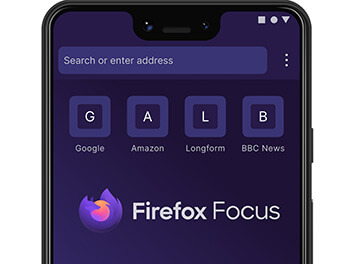
So, what’s the difference?
Apple forces third-party browser developers to use its own native WebKit browser rendering engine, which also underpins the Apple Safari browser that comes pre-installed on iPhones as the default browser.
All the browser apps that, on desktop, use their own rendering engines, such as Firefox’s Gecko and the wide variety based on Chromium, like Chrome, Brave, and Opera, are instead forced on iOS to use WebKit. That removes much of their ability to control and tweak the deeper privacy and security settings on iOS.
The question, then, is how to get the most secure browser on iPhone. Firefox Focus is one of the options that comes closest, next to Apple’s own Safari.
Firefox Focus is still based on WebKit, as Apple demands. It’s still not as secure as Mullvad, Brave, or even hardened Firefox (tweaked for privacy and security) on a desktop. But it forces you into private browsing mode all the time, which clears your cache, browsing history, and cookies automatically every time you exit the app.
You also gain more customization when toggling protection against ads, analytics, and social trackers. Your individual fingerprint—a wide-ranging combination of everything from your device’s set time zone to web fonts to display settings—is a bit more vague (a good thing for privacy and anonymity) because Firefox Focus is so much more stripped down and basic compared to Firefox.
That less unique fingerprint means it’s a bit harder for websites to know it’s you when you’re using them. Again, though, iOS’s insistence on WebKit makes fingerprinting more of a problem than on desktop or Android, so Firefox Focus is better than most other browsers on the iPhone, but still not great.
There are downsides compared to Firefox, which acts more like a typical browser app that you’re used to. You can’t open more than one tab inside Firefox Focus, you can’t sync your tabs (er, tab) to other devices in the way you can with regular Firefox, and you can’t install browser extensions.
My preferred way is not to choose one or the other. You can have both. Use Firefox for your general use, when it’s nice to have a bunch of tabs synced with your desktop version of Firefox and sites that remember your login information. Just go into Firefox’s settings to turn Enhanced Tracking Protection to “strict.”
Then install Firefox Focus, too, and use it when you’re accessing websites that you’re not entirely sure are above board when it comes to respecting users’ privacy and anonymity.
You really want to up your security? Install a VPN, and then toss in a password manager while you’re at it, too. These days, they’re pretty slick and easy to use. None of them is made for rocket scientists. I’ve used all the major ones on the market, and even somebody who’s tech-averse could use them to boost their security massively.
The post What Exactly Is Firefox Focus and How Is It Different From Firefox? appeared first on VICE.