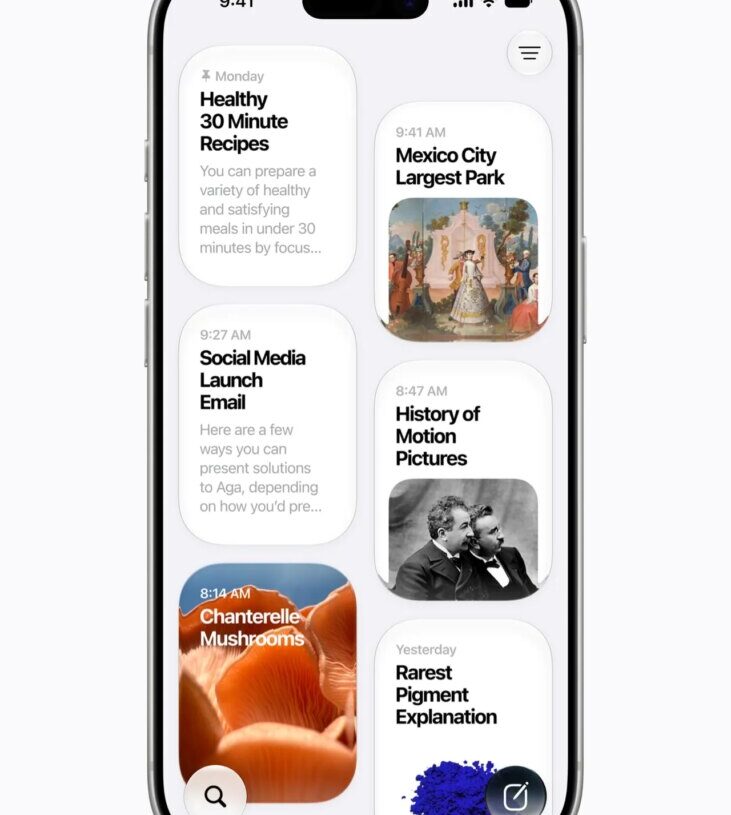
While the news coming out of WWDC 2026 is not as dramatic as last year’s iOS 26 update, where the new Liquid Glass redesign caused a big stir, Apple’s presentation still made waves.
During the WWDC keynote, Apple walked through the new changes coming to the next version of its mobile operating systems, iOS 27 and iPadOS 27. These updates will roll out to iPhones and iPads later this year, likely in September.
iOS 27 and iPadOS 27 focus largely on stability improvements that enrich the everyday usability of the operating systems. There are several smaller quality-of-life improvements, but the big highlight is the Siri AI upgrades. Here’s everything you need to know.
Is Your iPhone or iPad Compatible?
LargeChevron
Apple sometimes cuts a few older devices from support list with every new iOS or iPadOS version, supposedly due to hardware age. (Apple typically supports iPhones and iPads for six to seven years.) But there’s good news this year. iPhones from 2019 and newer—the iPhone 11 and up, including the iPhone SE (2nd Gen)—will support iOS 27.
That means any iPhone that received iOS 26 is still compatible with iOS 27. If you’re unsure about your iPhone model, head to Settings > General > About and look at the model name.
iPads aren’t as straightforward, as they have a unique naming structure. Apple retired the “generations” moniker and is now using the chipset to denote the model. You can figure out what model iPad you have by heading here. There are a few iPads that are now cut off from the iPadOS 27 update, including the 8th-gen iPad from 2020 and the 5th-gen iPad Mini.
- iPad: 9th gen and later, including A16
- iPad Mini: 6th gen and later, including A17 Pro
- iPad Air 11-inch: 4th gen and later, including M2, M3, and M4
- iPad Air 13-inch: M2 and later
- iPad Pro 11-inch: 2nd gen and later
- iPad Pro 12.9-inch: 4th gen and later
- iPad Pro: M4 and later
Should I Install the Developer Beta?
LargeChevron
Anyone can install the developer beta of iOS 27 and iPadOS 27 right now. But it might not be a good idea, especially on a phone you use and rely on every day. Developer betas are notoriously buggy and sometimes have crippling issues that could make your phone inoperable. If you really want to give it a try, maybe use an older iPhone you have lying around.
If you want to try it no matter what, make sure to back up your iPhone before installing the update. Then, head to Settings > General > Software Update > Beta Updates and choose iOS 27 Developer Beta or iPadOS 27 Developer Beta. You should see an option to install it right away. (Installation will take several minutes.)
The public beta is often more stable and might be a better time to try the software. It’s usually available in July, and the final version often rolls out mid-September.
Apple Intelligence Only Works on Select iPhones
LargeChevron
Remember—even though older iPhones and iPads may receive the iOS 27 or iPadOS 27 update, that doesn’t mean all of the new features will be available. Apple Intelligence is still only compatible on the iPhone 15 Pro and newer and select iPads, meaning that several new artificial intelligence features are unavailable on older devices.
Top New iOS 27 and iPadOS 27 Features
Here’s a topline view of some of the biggest changes coming to iOS and iPadOS 27. The updates are largely the same across both operating systems.
Siri AI and a New Siri App
Siri is finally becoming “a more capable assistant,” or so that’s the claim. Apple says this is largely thanks to its third-generation foundation models, which were developed from the ground-up with the help of Google’s Gemini models. However, Apple says it is not using Google’s infrastructure, and that there no user data from Siri actions gets shared with Google.
Siri AI has an all-new look when you activate the assistant. It now resembles a glass orb. You can type or talk naturally to Siri, and there’s even a dedicated app where you can revisit previous conversations, or pick up where you left off on a different device. Siri is also now in the camera app, giving you a more direct way to start a visual search, much like Google Lens. You can even point the camera at a restaurant bill and Siri can split the tab.
The assistant understands your personal context, so it can comb through your emails, messages, photos to find relevant information based on your query. It can then take action on your behalf, whether that’s to draft an email in a specific tone, or get wine recommendations for a particular dish. Siri’s voice is more expressive, but you can also customize the assistant’s voice and adjust its expressiveness and pace.
Platform Stability Improvements
One of the most appreciated features will be Apple’s improvements in making iOS run faster. The company says app launches are up to 30 percent faster, newly captured photos in your Photo Library load up to 70 percent faster, and AirDrop transfers are up to 80 percent faster. The iPhone will even do a better job of switching between Wi-Fi and cellular, so you hopefully won’t have that awkward minute with no service as you wait for your device to switch networks while leaving the house. Many of these upgrades will affect older iPhone models, like the iPhone 11, thanks to a better-optimized CPU Scheduler.
Liquid Glass Refinements
Hate Liquid Glass? Love Liquid Glass? Well, you have some options to make it work for your tastes in iOS 27. Apple says it has generally updated the design language to improve readability and contrast. App icons are sharper, for example. But you now finally have a slider in the Settings menu that lets you adjust the intensity of the Liquid Glass look, from super clear to more opaque. You can customize this in Settings > Appearance > Liquid Glass.
Child Safety Features
Apple spent a lot of time in the WWDC keynote talking up child safety features in iOS 27 and iPadOS 27. There’s a new Setup Assistant parents can run through when first setting up an Apple device for a child, which includes choosing what system apps are available to the child and other essential apps. An “Ask to Browse” feature sees that any new websites the kids encounter in Safari get sent to a parent for approval, and a feature called Communication Safety prevents children from seeing nudity or violence in the Messages or FaceTime apps; those are blurred by default.
Also new are Time Allowances and Schedules. Time Allowances let parents set an allotted amount of time that kids can enjoy specific app categories (like Entertainment)—Apple has guidance on how much time makes sense based on the child’s age. Schedules let parents choose what apps are available during different times of the week. All of this is also easier to view in a redesigned parental dashboard.
AI Features in the Photos App
The Photos app is getting a small infusion of Apple Intelligence AI features, though remember that these features only work on iPhones that support Apple Intelligence (iPhone 15 Pro and newer).
The existing “Clean Up” feature—which lets you select objects in photos to remove (like a trash bag or people in the background)—now performs better thanks to Apple’s upgraded foundation models. If the object you want to remove is larger, it will likely run through Apple’s Private Cloud Compute servers for processing, but for smaller jobs, it will still handle the task on device.
New to the Photos app is a tool called “Extend.” This lets you expand a photo to add a little more to the edges—maybe you accidentally snapped a pic too close to a subject and you want to give them some visual breathing room. It will generate what it thinks should be there based on the photo’s context. (This feature works with Apple’s diffusion model in the cloud.)
Finally, there’s Spatial Reframing. This lets you alter a photo’s perspective. Maybe you shot a little too high up and want to lower the perspective—the image will also use generative AI to fill in the gaps after you change the perspective (though Apple preserves faces and pets as much as possible to avoid altering them with fake pixels). You can read more about these features here.
The tools are accessible in the Photos app—tap the Edit button and go to Tools. They’re available for free, but Apple sets usage limits, so you’ll have to pay up for a higher-tier iCloud subscription if you want to use them more regularly.
Image Playground Upgrades
Want to create AI slop? Apple has a more powerful image generation model for its Image Playground app, meaning you can create higher-quality AI images in virtually any style—even photorealistic. That photorealistic style is the default with the new version of Image Playground if you don’t specify a style in your prompt.
There are daily usage limits for these features based on your iCloud subscription.
More Contextual Actions
Similar to Google’s Magic Cue in its Pixel phones, Apple is adding one-tap actions to the Messages and Mail apps. If someone messages you about grabbing milk on the way home, you’ll see a button to add it as a reminder. Or if someone asks about hanging out on a specific date, you’ll see a Calendar button to create an event with one tap.
Similarly, the Phone app now has a feature called Call Context. If you’re on a call with Delta, for example, on the dialer screen, you’ll see relevant information about your flight so you don’t have to fish for a confirmation number from your email during the call.
Easier Shortcuts
If you’ve ever tried to make a shortcut in Apple’s Shortcuts app, you’ll know it can be a little complicated. Now it’s getting easier. Instead of plugging in various rules and triggers, you can type what you want, and the Shortcuts app will understand your intent and set up an automated task for you. So you can naturally say, “Text my wife my ETA when I leave work,” and the Shortcuts app will set up an action that uses location services, Maps, traffic data, and Messages.
Safari Updates
Got a lot of tabs? Safari will now organize your many tabs into topics. Safari can also “notify” you when there are changes to a webpage, like a price drop or a restock.
Then there’s “Custom Extensions.” This lets you describe a feature you want in Safari, and it will generate an extension on your behalf (it will first suggest existing third-party extensions that may be similar to what you’re looking for). For example, you can say, “When I hit the toolbar button on a recipe website, give me a button to save the recipe, add a star rating, and let me make comments; make the interface look nice.” Safari will generate the extension, and that’s it. Extensions you make on one platform, like your iPhone, will carry over to your other devices, like your Mac.
Other Smaller Updates
- Better search in Apple Mail: Apple says a new ranking system will filter more relevant emails to the top of your search.
- Easier Calendar event creation: You can use natural language to create a calendar event instead of filling out a bunch of fields. Type at the top, “Every Friday, make an event to water the plants,” and it’ll make the event in a jiffy.
- Accessibility improvements: Apple’s VoiceOver accessibility mode has richer image descriptions, and there’s a new captioning feature that generates subtitles for any video you watch (kind of like Google’s Live Transcribe), even translating them into other languages.
- Maps upgrades: The Flyover mode in Apple Maps lets you view a 3D map—now, in iOS 27, Apple is combining aerial imagery with its Visual Intelligence models to render 3D models with far more detail. That means more detailed 3D buildings and trees.
- Custom EQ with AirPods: AirPods are finally getting a custom equalizer, allowing you to customize the mids, lows, and highs in the AirPods settings menu.
- Better iCloud Shared Albums: Android and Windows users can now more easily join iCloud Shared Albums and contribute their own photos. These albums also now support full-resolution images.
- Apple Health updates: The Health app now supports perimenopause and menopause, meaning the cycle tracking feature can notify you when patterns suggest perimenopause.
- Home app updates: If you have security cameras in your Apple Home app, you’ll now receive smarter notifications that better describe what is happening around your home, much like Google and Amazon’s richer notifications on their respective smart home platforms.
- Password fixes: If the Passwords app warns you about weak or compromised passwords, you can now have it automatically fix them on your behalf.
- Message syncing improvements: Apple says notifications for missed messages and unread count sync more quickly when you return to your iPad after some time.
The post The Top New Features in Apple’s iOS 27 and iPadOS 27 appeared first on Wired.